ACO
ACO orders and stick rate.
Every checkout we make for you lands on the ACO's Orders page, grouped by day. Click any order for the full story.
What each status means
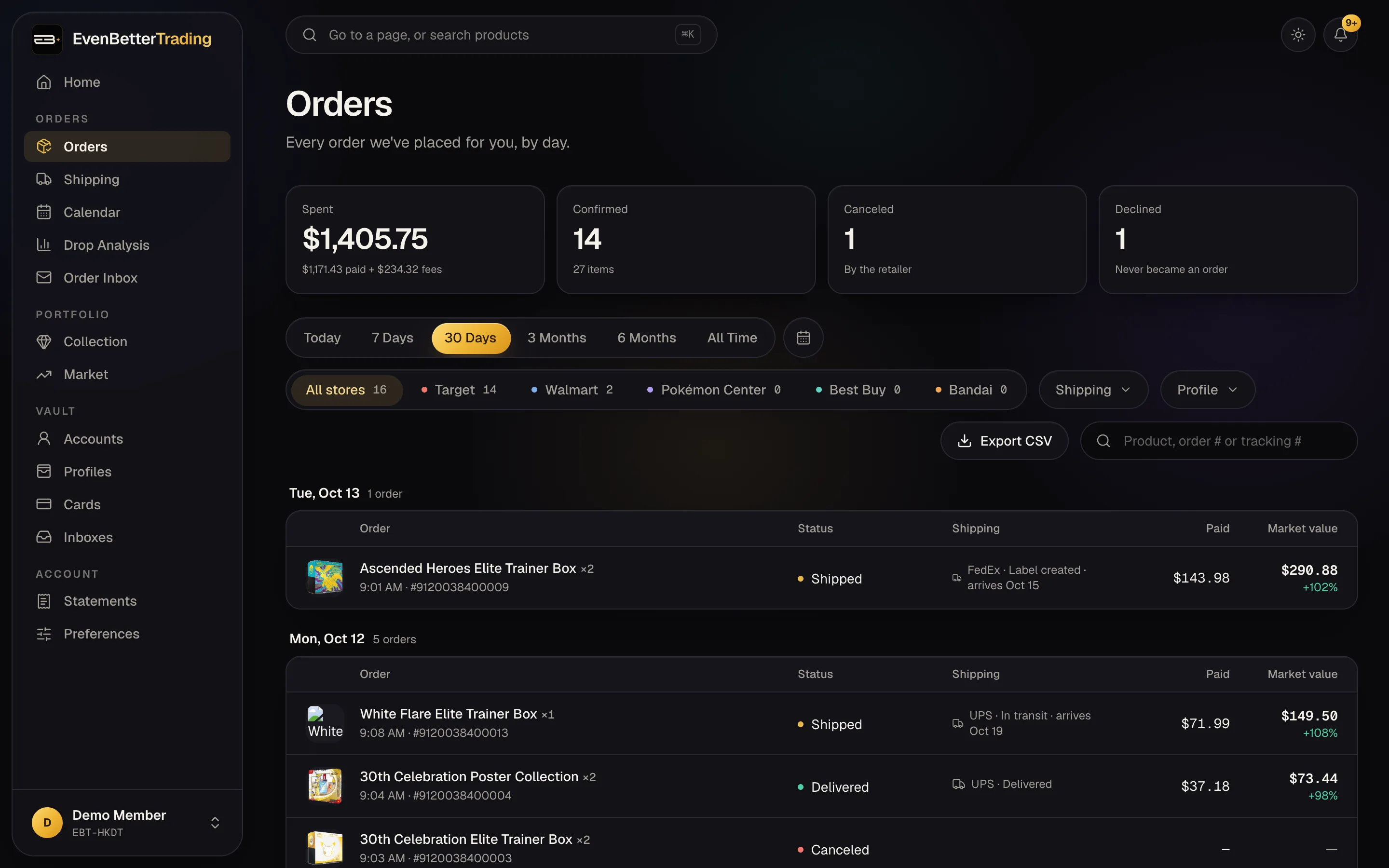
- Confirmed: the retailer took the order.
- In review: the retailer is holding it to check it over. Most go through.
- Canceled: the retailer canceled it after taking it. No fee.
- Declined: the payment didn't go through, so it never became an order. No fee.
Finding an order
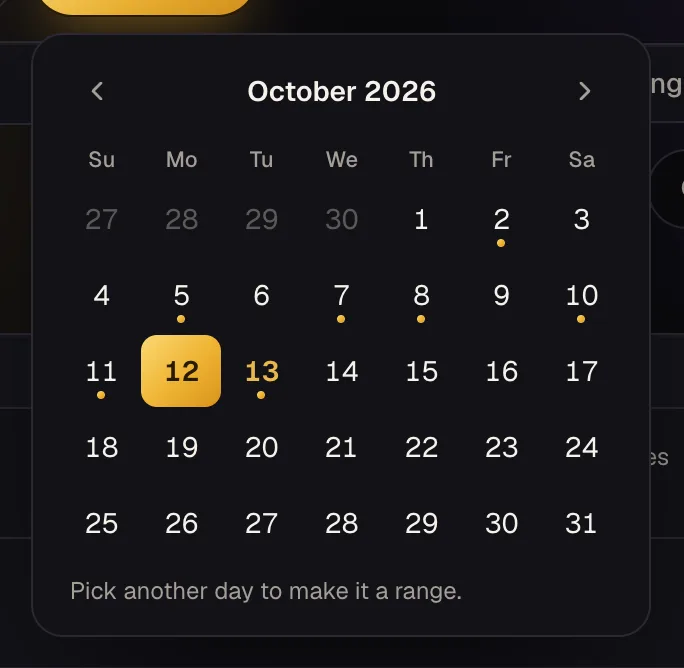
Search by product, order number or tracking number. Filter by store, by where the order is now (waiting to ship, shipped, delivered), and by profile. To see one day, or a run of days, press the calendar button beside the date presets and pick them. Days with orders have a dot under them.
Needs a look
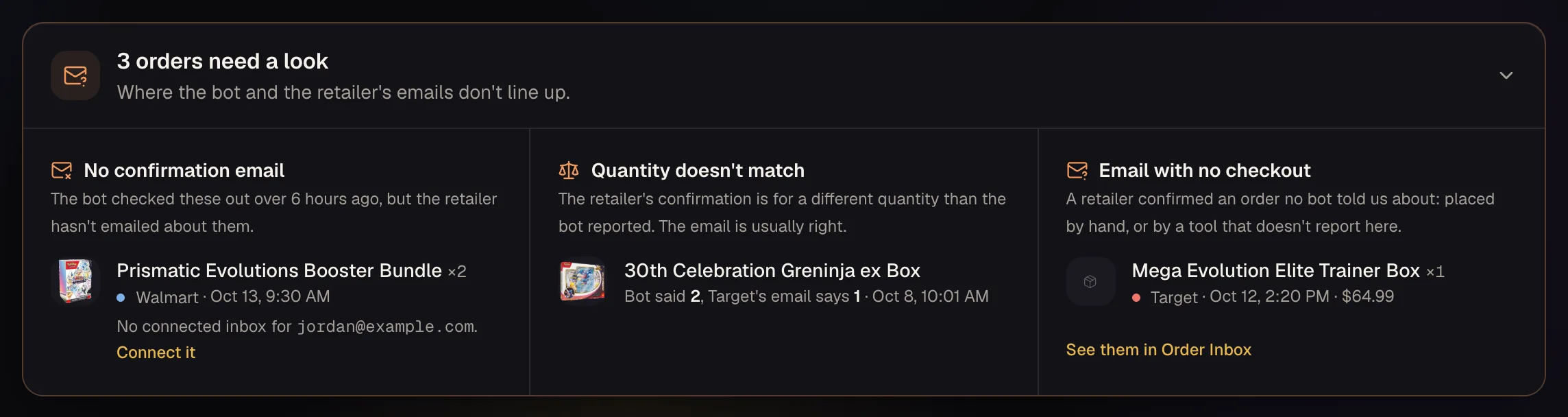
We get both sides of every order: the bot tells us it checked out, and the retailer's emails say what happened next. When those don't line up, the order shows in a Needs a look box at the top of Orders (and a note on Home):
- No confirmation email: the bot checked it out over 6 hours ago and the retailer hasn't emailed. Usually the inbox for that account isn't connected. If it is, check its spam folder; the order may also have been dropped.
- Quantity doesn't match: the confirmation is for fewer (or more) than the bot reported. The email is usually right.
Insights
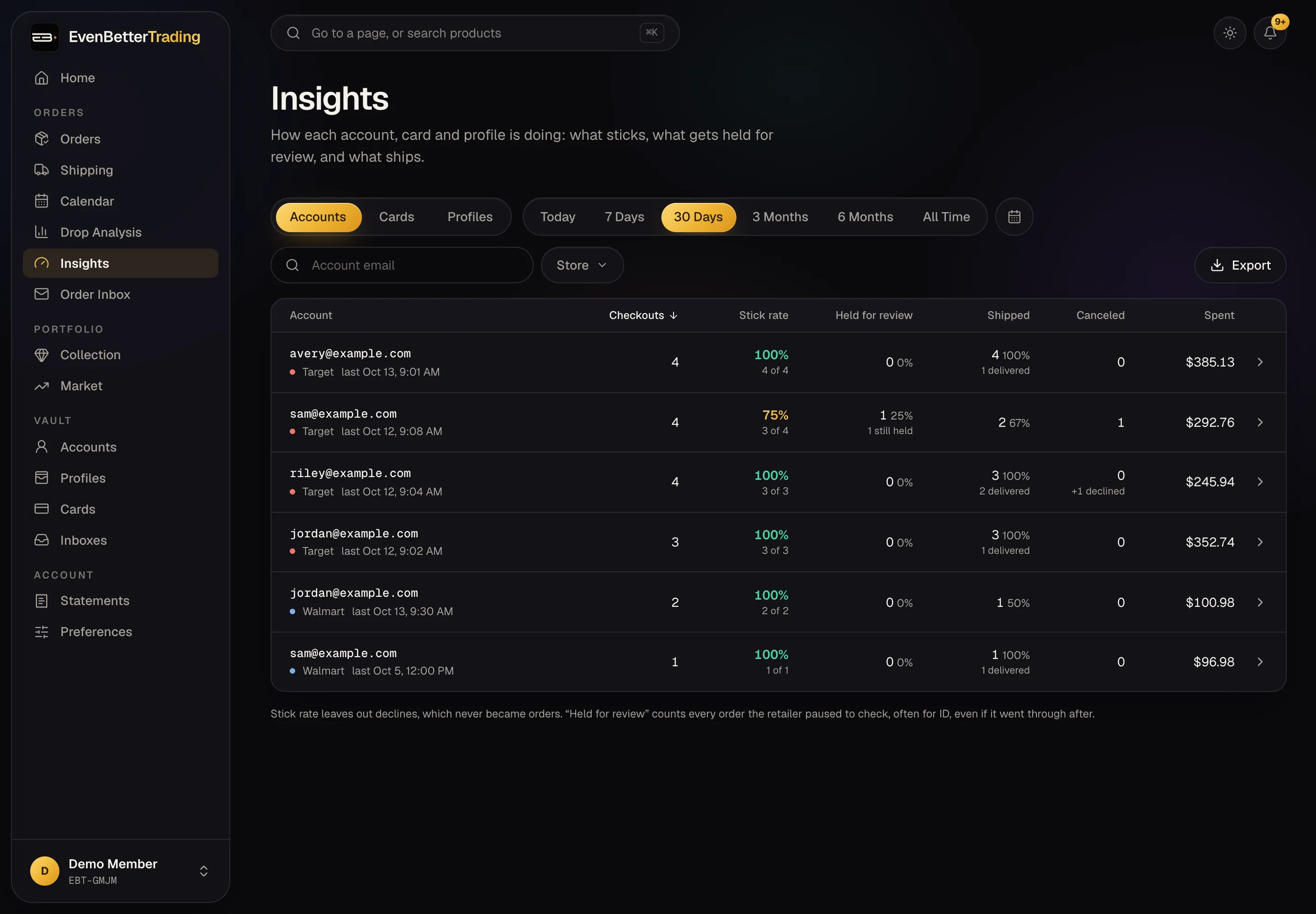
Insights shows how each retailer account, card and profile is doing: its stick rate, how often the retailer held its orders for review (often an ID check), how many shipped, and how many were canceled. Sort by any column and open a row for its recent orders. Anything under 60% stick rate, or held on 30% or more of its orders, is marked so you can rest it or swap it out.
Stick rate
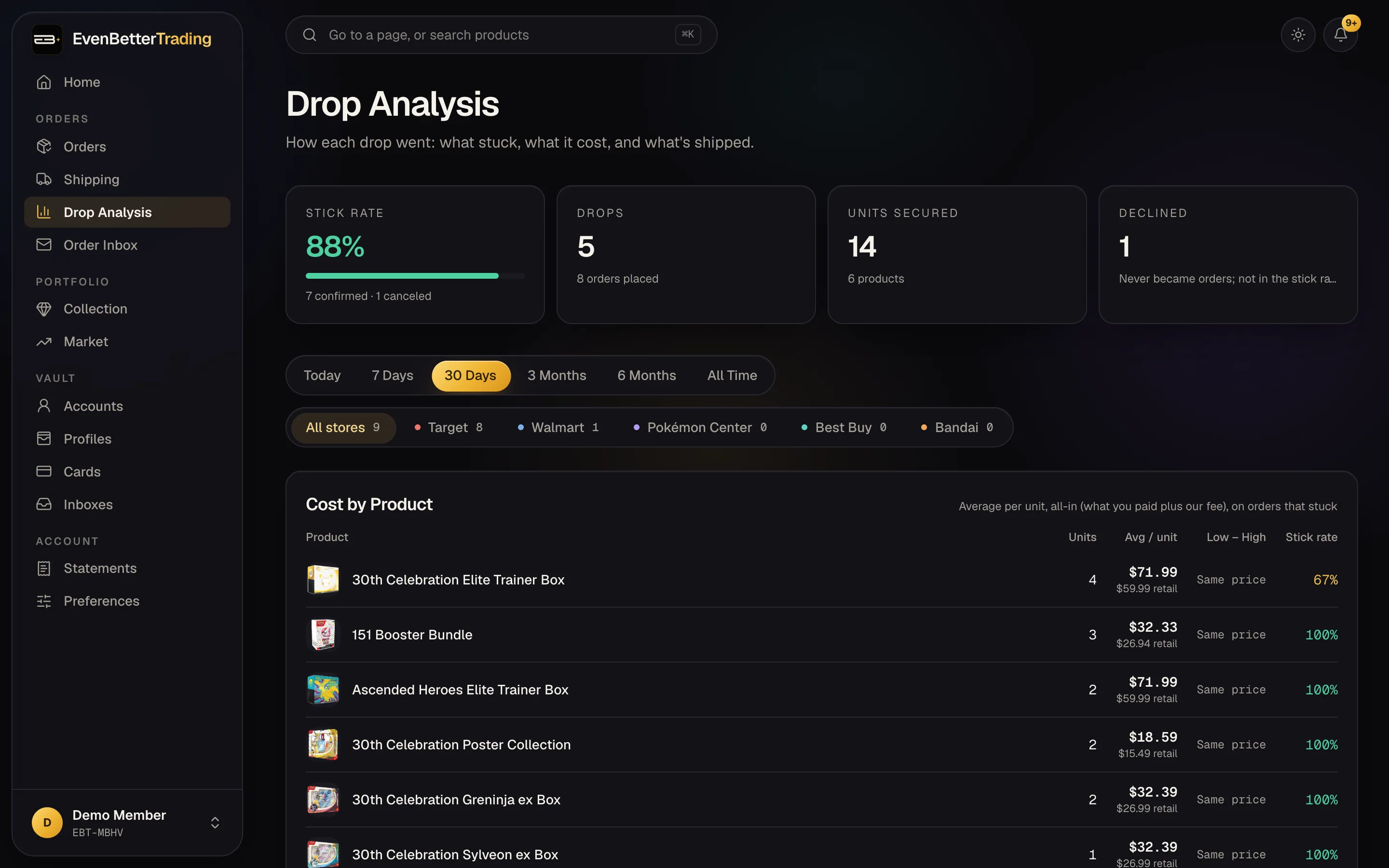
Your stick rate is the share of placed orders that stayed confirmed: confirmed ÷ (confirmed + canceled). Declines don't count, since they were never orders.
85% and up is green, 60–84% yellow, under 60% red.
Drop Analysis
Drop Analysis groups your orders by drop, meaning one store on one day, so you can see how each release went. Cost by Product shows what each unit cost you on average, with the fee included.
Exporting
Use Export CSV on Orders to download exactly what you have filtered.
A price that says “pending” fills in when the retailer's confirmation email arrives. If it never does, check that the inbox for that account is connected. Packages from your ACO orders are tracked the same way as in Tracking and the calendar.