The Toolbox
Share cards.
A recap image of your results, made for posting in your group. Press Share card on your dashboard, or Share in the desktop app.
Kinds of card
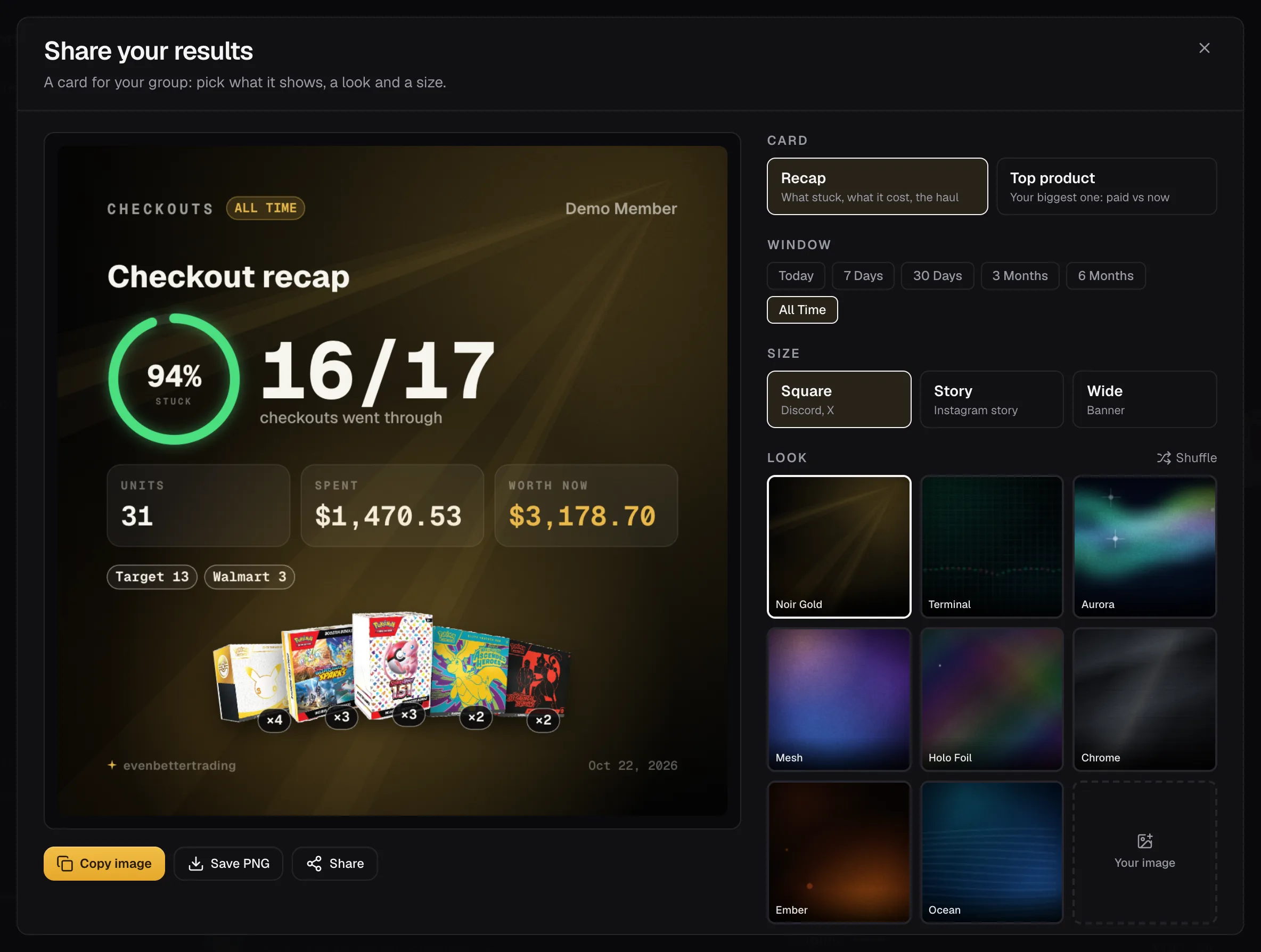
- Gains: what your collection is worth against what you paid.
- Checkouts: what stuck out of what you tried, and the stores.
- Position: one product, what you paid against what it's worth now.
- Profit: a month or a year of net profit.
Pick the window the card covers. Its dates are printed on the card.
Sizes and looks
Square for Discord and X, Story for Instagram, Wide for banners. Pick a look and press Shuffle for a new take on it, or use your own image. Your image stays on your device and is never uploaded.
Privacy
- Percent only hides every dollar amount and keeps the percentages and counts.
- Your name puts a small @handle in the corner. Leave it off to post anonymously.
- Small mark adds a tiny evenbettertrading in the corner, or leave it off.
Copy image puts it on your clipboard. If your browser won't copy images, use Save PNG. On your phone, Share opens the share sheet.