Desktop app
Ready for release day.
Check a group of profiles before a drop, fix what's wrong, and export the ones that are ready in your bot's format.
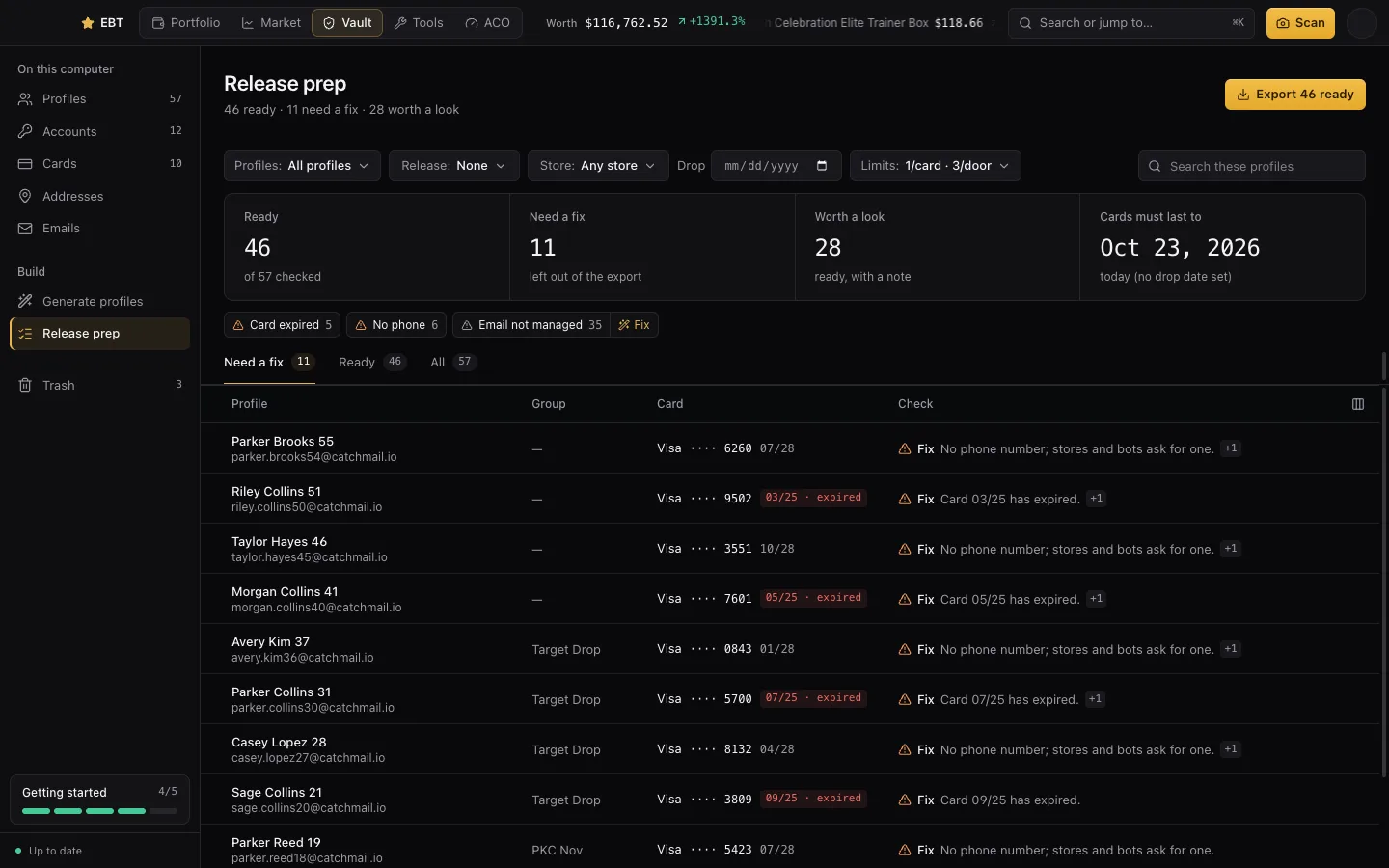
Run a check
- In the desktop app, open Release prep.
- Pick one or more profile groups. Pick the release from your SKU list if you have one, or the store and the drop date.
- Set how many profiles may share one card and one address.
At the top you'll see how many are ready and how many need a fix.
What it checks
- Cards that are expired, or run out before the drop.
- A card or an address used more times than you allow, and the same email on two profiles.
- Billing that doesn't match shipping, for stores that need them to match.
- Missing phone numbers, and anything a store would reject.
- Worth a look: a name on the card that doesn't match billing, or an email that isn't one of your inboxes.
Click any profile to open it. Some issues have a one-click fix: setting billing to the shipping address, using the billing name on the card, or adding the emails to your inboxes list.
Export for your bot
Press Export ready (it shows how many) and pick the format: HayhaAIO, Shikari, Refract or Valor. Only the profiles that passed are exported. You can also export any group from Profiles.
SKUs
The SKU Manager keeps the product IDs you watch for each store, grouped by release, so release prep knows the store and the date, and you can copy them into your bot.
Exports are made on your computer. Nothing is uploaded.