The Toolbox
Tracking and the calendar.
When a store ships an order, we pick up the tracking number from its email and follow the package to your door.
The Shipping page
Open Shipping. Every package is in one of three places:
- Waiting to ship: confirmed, not shipped yet. The longest wait is at the top.
- On the way: shipped. The soonest arrival is at the top.
- Delivered: the last 30 days, or any dates you pick.
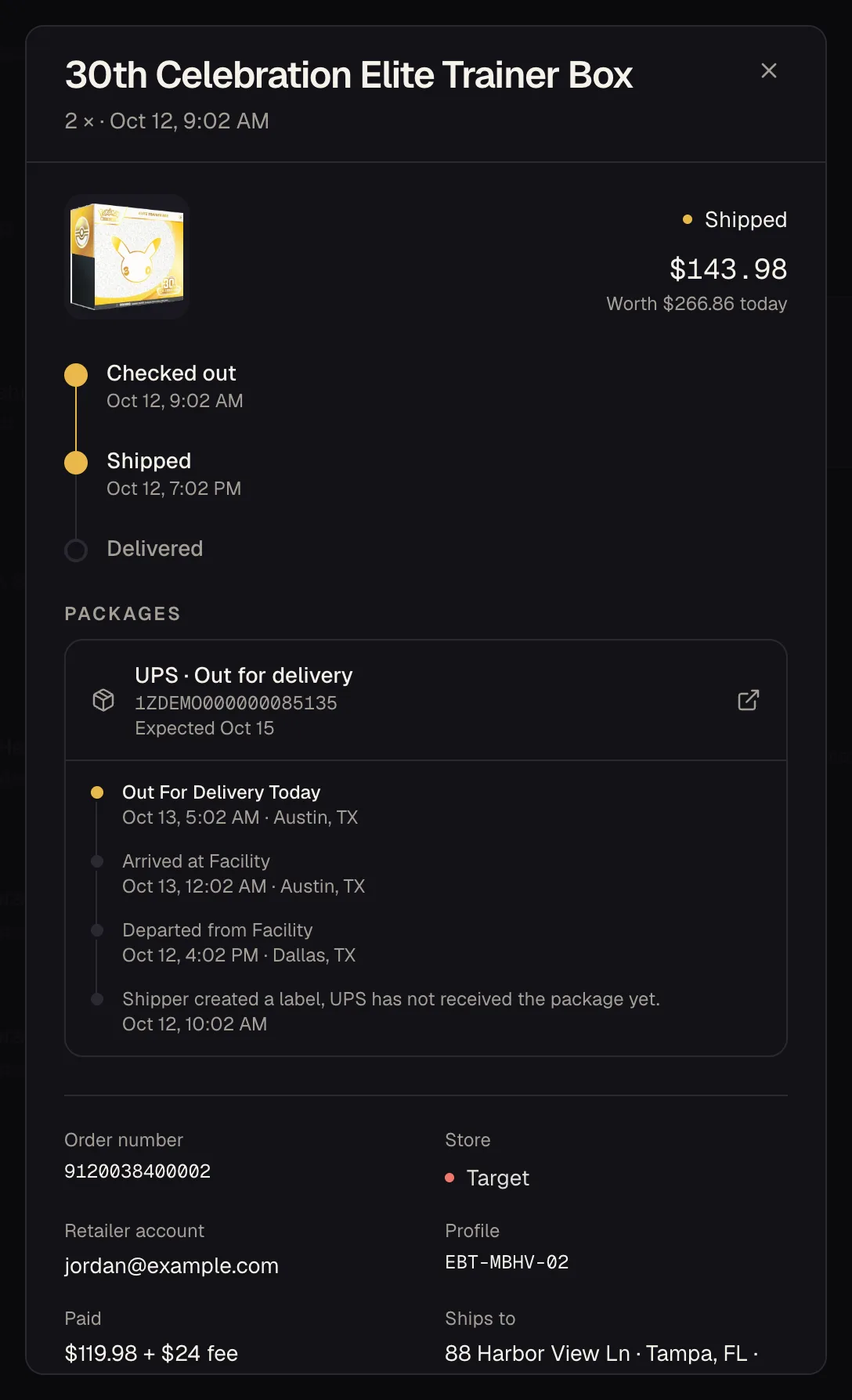
Open an order to see every scan the carrier has logged, in your own time zone.
Narrowing it down
The chips under the heading split the list by where each box is: label created, in transit, out for delivery, or a delivery problem. Next to the search you can filter by when it arrives (today, tomorrow, the next 7 days, or running late), by store, by carrier and by the day you ordered. The numbers in each menu show how many you'd get.
Export downloads exactly what's showing as a spreadsheet.
The calendar
Calendar puts every package on the day it lands. Busier days are shaded deeper, and each one shows how many packages and how many addresses. Pick a day to see its packages grouped by the door they're headed to, with what's inside, the carriers and what it's all worth. From there you can export the day or copy every tracking number at once.
- Schedule runs down the next two weeks, day by day.
- By address shows everything on the way to each address, soonest first. Handy if you ship to more than one.
- Needs attention, under the calendar, collects anything running late, flagged by the carrier, or sitting at “label created” for more than 3 days.
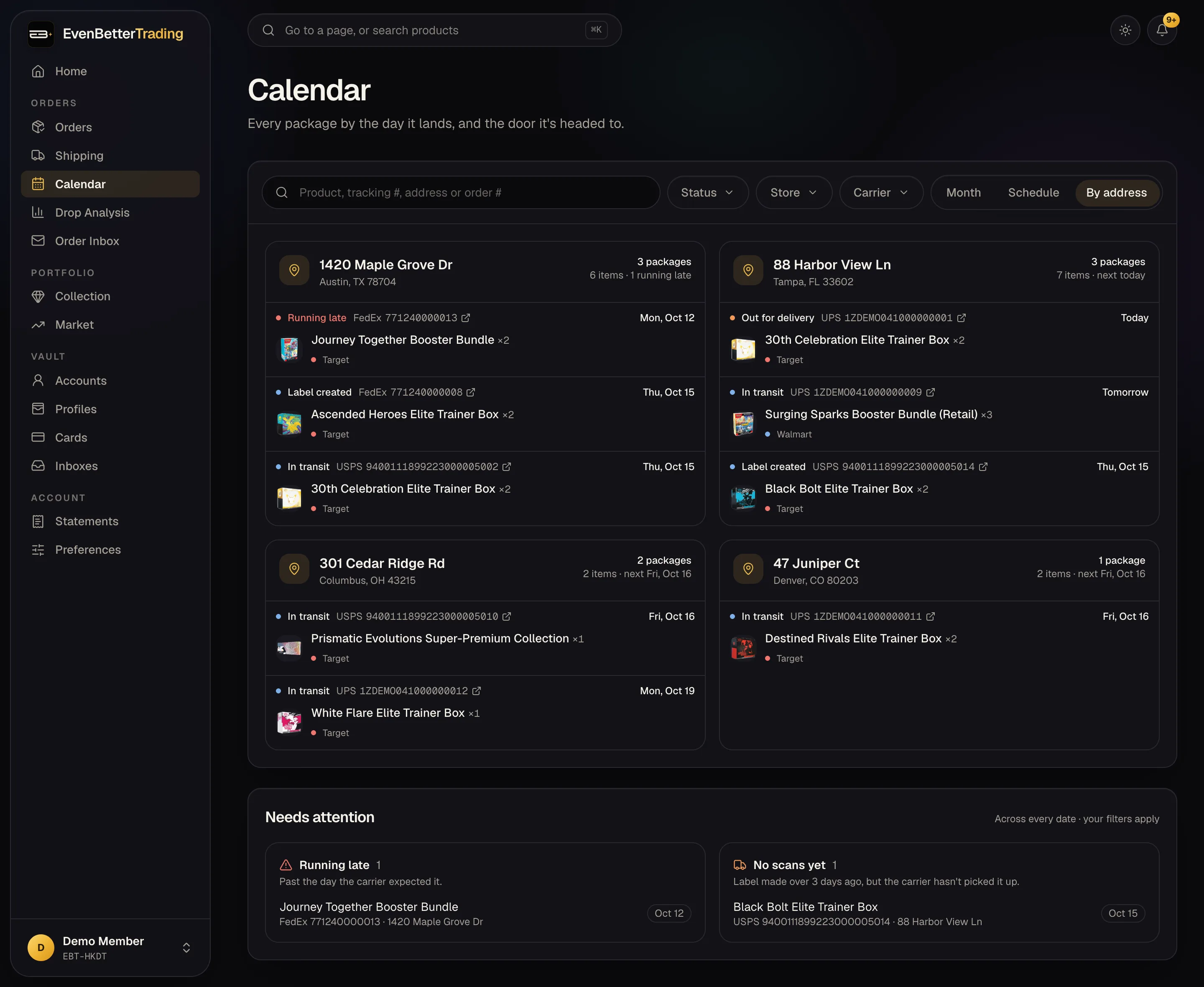
Arrival dates are the carriers' estimates, so they move when the carrier updates them.
Returned to sender
When a carrier can't deliver a package and sends it back, it shows as Returning to sender, then Returned to sender once it's back with the store. It also lands under Needs attention.
Some stores, Target among them, don't refund these on their own. Contact the store for the refund, and keep the tracking number handy.
If a package isn't showing
- Tracking starts when the shipping email arrives, so the inbox the order went to has to be connected. Or add the tracking number to the order yourself.
- On Collector, 100 packages a month are tracked live. Past that they're still saved, with the store's own shipping updates. Pro has no limit.
- New labels can take a few hours to show their first scan.
- Pokémon Center pre-orders ship on release day, so they'll sit in Waiting to ship until then.
Tracking covers UPS, USPS, FedEx, OnTrac, LaserShip, DHL and Amazon.