The Toolbox
Your collection, priced daily.
Everything you own, sealed, raw cards and slabs, with what you paid and what it's worth today.
What's in it
Open Collection. Orders you add from your inbox come in at what you paid. Anything else you bought, add yourself.
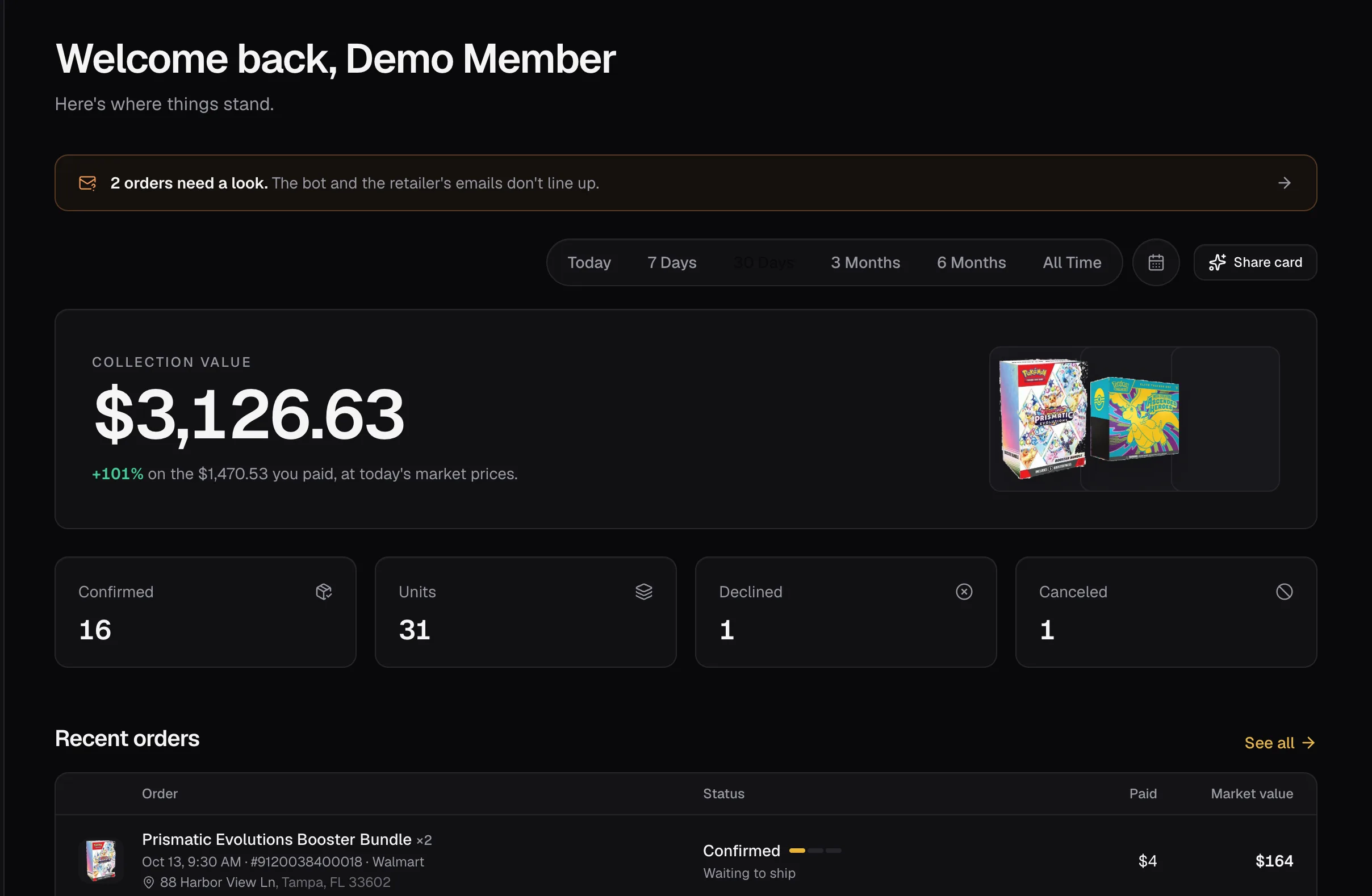
- Cost is what each one cost you, all in.
- Value is today's market price. Until there is one, it counts at what you paid.
- Gain is what it's worth today against what you paid.
Adding something
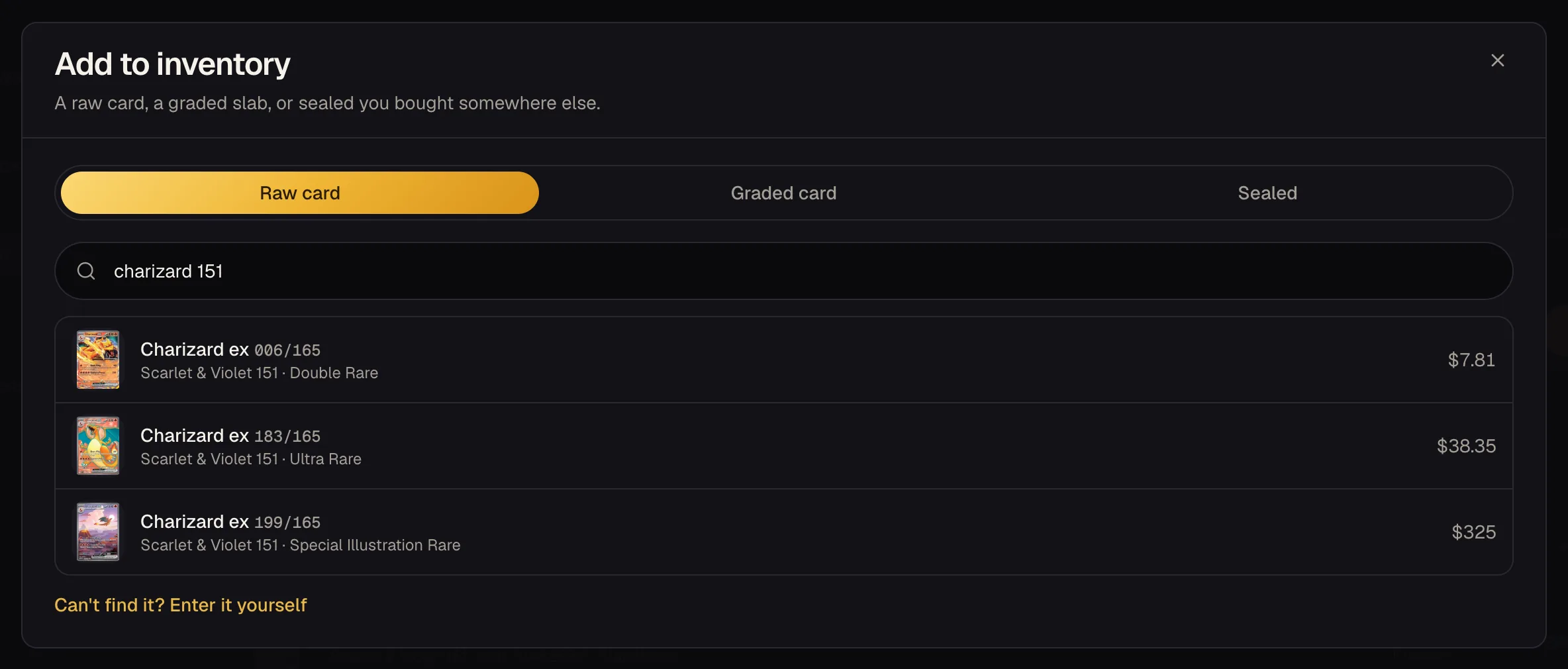
- Press Add item and pick sealed, raw or graded.
- Search the way you'd say it: “charizard 151”, “199/165”, “prismatic etb”. Every Pokémon card and sealed product is in there with its picture.
- Add what it cost, where it came from and where it lives.
Or scan it. For graded cards, see Slabs and population.
Prices
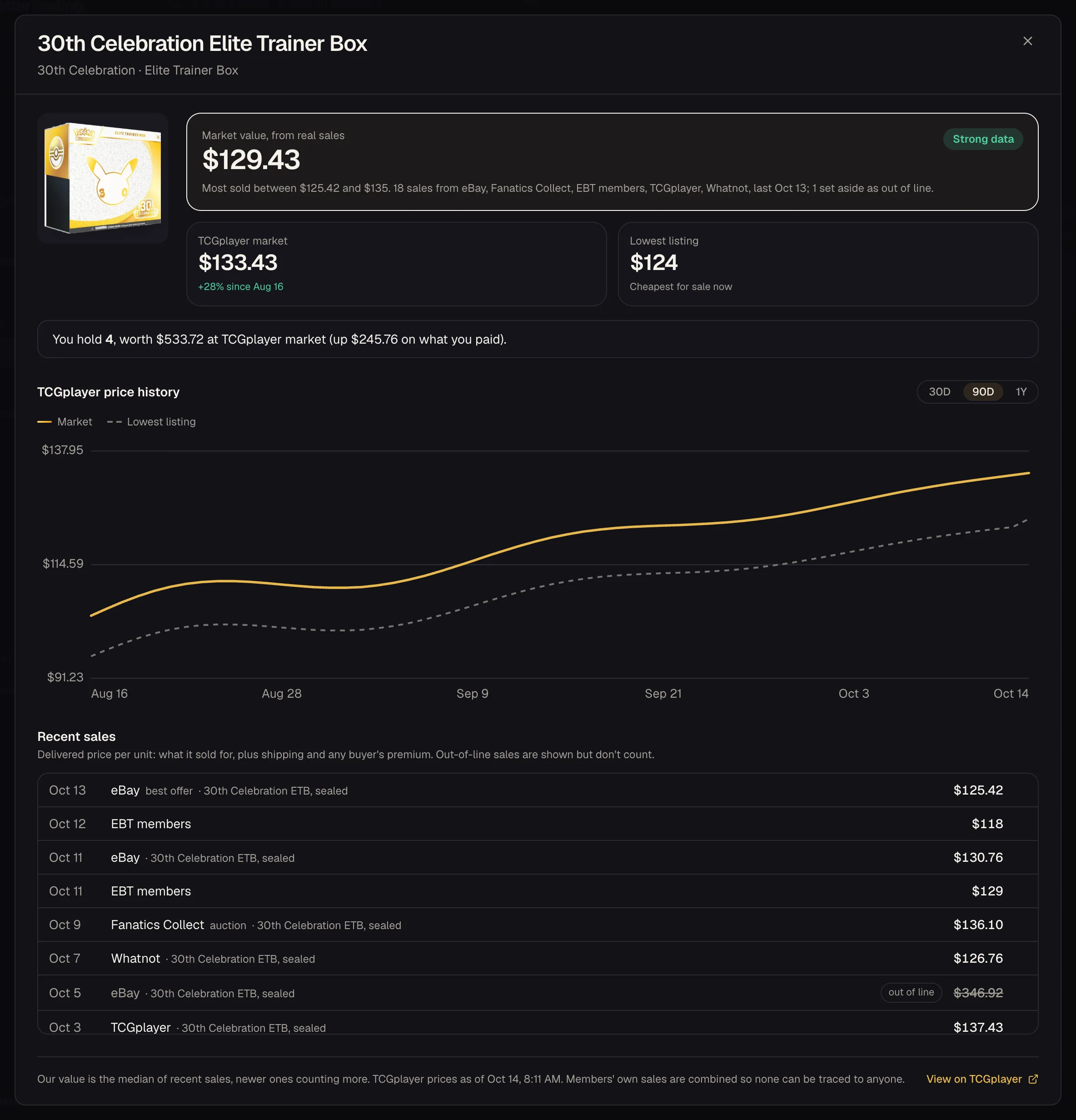
- Sealed uses the TCGplayer market price, refreshed through the day, with its price history.
- Raw cards use the TCGplayer market for their printing (Near Mint).
- Slabs use real sales of that card at that exact grade.
On Market, open any product for the fuller picture: the market price from recent real sales on eBay, TCGplayer, Whatnot and others, the lowest listing, how both have moved, and the recent sales with links. Anything far out of line, like a damaged box, is shown but left out of the price.
Selling
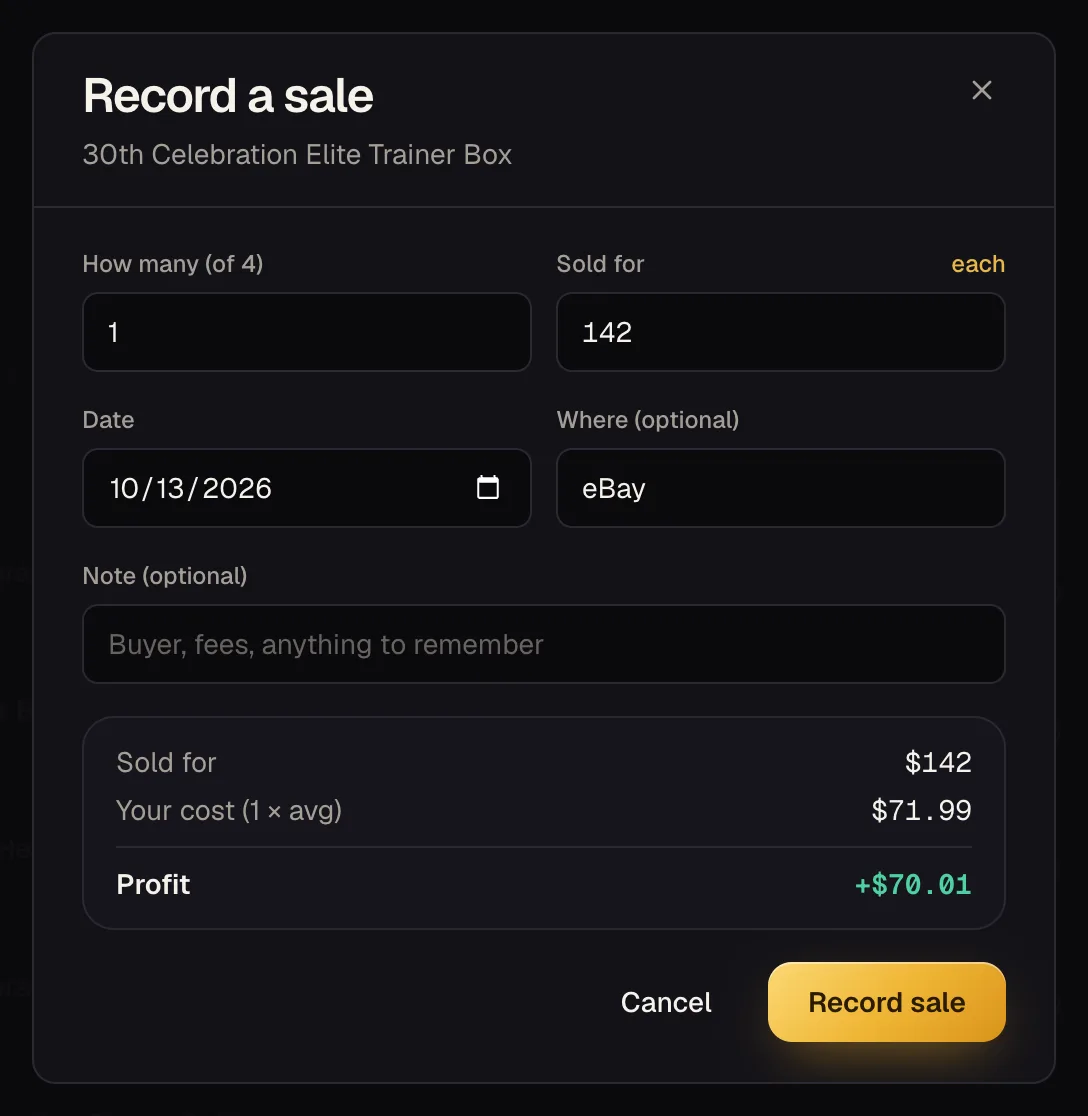
- Press Record sale on the item.
- Enter how many and what you got, per unit or in total. Use what you received after platform fees for a true profit.
- Add where it sold if you like. You'll see the profit before you save.
The sale moves to Sold with its profit. Each sale is costed at what you paid on average when you record it, and that doesn't change later. Pro members see it all add up in Profit & Loss.
Price alerts
Press the bell on anything you hold, or on any product on Market, and pick a price: tell me when it goes above, or when it drops below. Prices are checked once a day, and you get a notification when one crosses.
Exporting
Your collection and your sales both export to CSV, for taxes, insurance or your own spreadsheet.
Your collection and sales are private to you. Nobody else can see what you own or what you paid.